How to get access to high-paying VIP Tasks?
At IPweb.pro, there are several types of tasks, which can generally be divided into tasks with regular payment and tasks with increased payment. The first category includes assignments such as clicking on websites, actions on social networks, and other “simple” tasks with basic mechanics: voting, subscribing, opening, clicking, reacting, or leaving a comment. Most of our tasks fall into this category, and thousands of users complete them every day, regardless of how long ago they registered, their experience with our service, or their account “rating”.
Tasks with increased payment, or as we call them, “VIP-tasks”, are assignments where the reward is dozens of times higher than regular tasks. These usually require something qualitatively different from regular tasks: writing a detailed review, downloading and using an app, signing up for a trial, making a purchase, and so on. Currently, no more than 5% of our users have access to these assignments, due to the strict requirements for who can complete them. You can earn anywhere from 10 to 500 rubles per VIP task.
To make the process of getting access to VIP-tasks easier, we launched a testing system where you can reach anywhere from level 1 up to the highest, level 5, for VIP-task access. To unlock each level, you need to complete simple test tasks; our moderators will determine from your results if you completed the task and deserve to be promoted to the next level.
So, to unlock the most profitable tasks on our service, you first need to complete all or most of the items on the “How to Earn More” checklist.
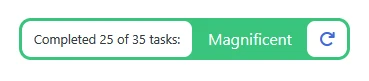
Once you’ve completed the checklist items (an example indicator is shown above), you can go directly to the VIP-tasks page: https://www.ipweb.pro/vip
If our site determines that you’re ready to take the test tasks, you’ll see your first batch of test assignments. It looks like this:
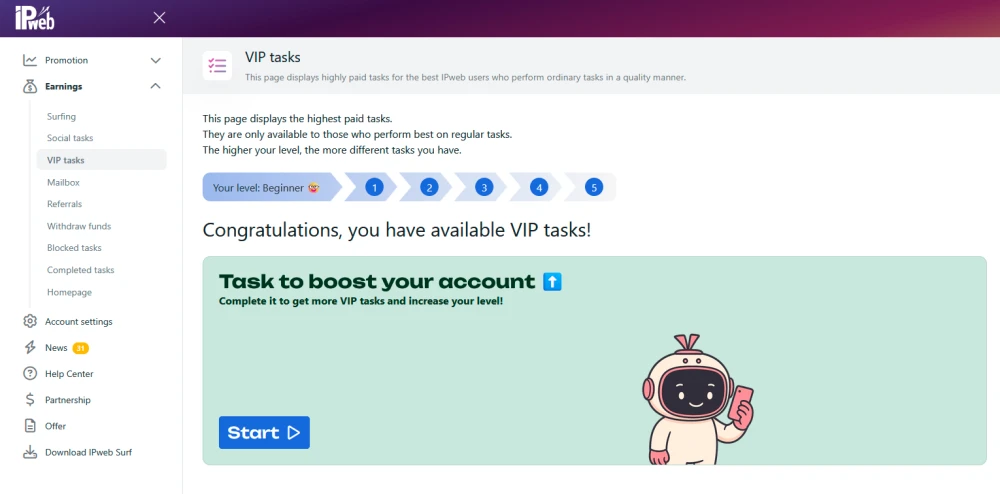
After clicking the “Get Started” button, a new window will open—you’ll enter the test assignment, where the top section will contain the conditions and instructions on what you need to do. The bottom part is where you submit your results. For example, in the screenshot below, you’re asked to go to the “Knowledge Base,” rate any article, take a screenshot, and send it to us. You’ll upload the screenshot in the answer field (also shown in the screenshot below):
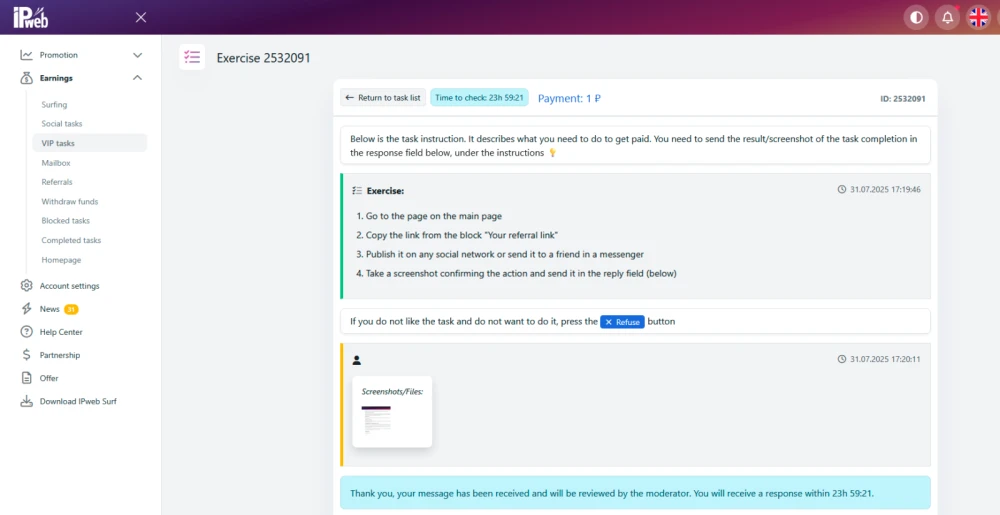
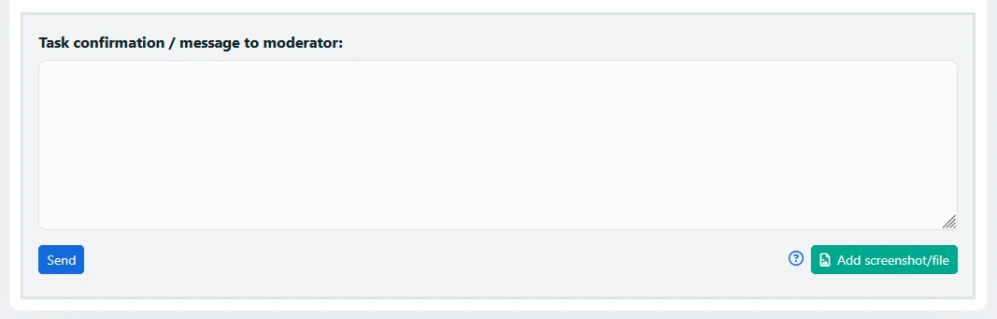
After submitting your answer, you’ll need to wait up to 24 hours for a moderator to check your result. If everything was completed correctly, you’ll receive your payment and a new batch of test tasks, which will also be available on https://www.ipweb.pro/vip.
If you skip a training assignment or choose not to complete it, it will be offered to you again only after 30 days. We give preference to users who are highly motivated to complete VIP tasks, and we hope you’re one of them! 👀
With each test assignment you complete (there are no more than 10 in total for all 5 levels), your VIP-access level will gradually increase—from level 1 up to level 5. Here’s a screenshot of how this looks:

Levels with the red “bubble” and yellow fill are those you have already achieved.
Here is the overall progression:
0 – Beginner 🤓
1 – Explorer 🧐
2 – Experienced ✍️
3 – Veteran 👨🚀
4 – Elite 🦾
5 – Legend 🧙♂️
With each new level, you’ll unlock real VIP tasks.
There are several important elements in the task banner:
a) The task reward (shown at the top);
b) The indicator showing how long until the task disappears if you don’t start (top right);
c) The “Dislike” button. If you don’t like the task, you can block all assignments of that type so you won’t see them anymore;
d) The “Get Started” button;
***
⚡ Please note: Because of high demand for VIP tasks and the small number of users with access, we strongly recommend completing them as quickly as possible. Otherwise, the “window of opportunity” might close and the task will disappear. The next similar or different VIP task may not appear for some time, so it’s better to be first rather than last. We hope this information will be helpful to you, but if you still have questions, click the “Need help? Write to us!” button below.
 IPweb
IPweb

Rate the material: