How to Link Your Steam Account for Withdrawals
Read 2 minutes
One of the ways to withdraw funds from IPweb is to transfer them directly to your Steam wallet for purchasing games, applications & in-game currency. Please note that once the funds are on your Steam wallet, they cannot be withdrawn elsewhere — they can only be used to pay for content within the Steam Store itself.
Below we'll explain how to link your account to IPweb:
1. Open "Account Settings" — "Payment Details".
2. Scroll down the page to the Steam section.
3. Enter the correct store login that you use to sign in to Steam.
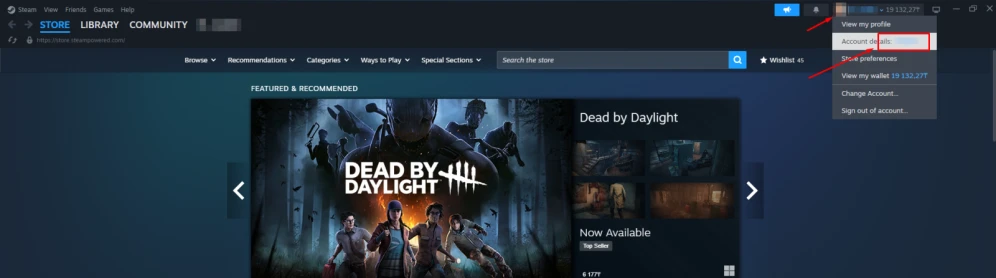
On PC: Click on your avatar in the top right corner > Copy the login next to the "Account details" label.
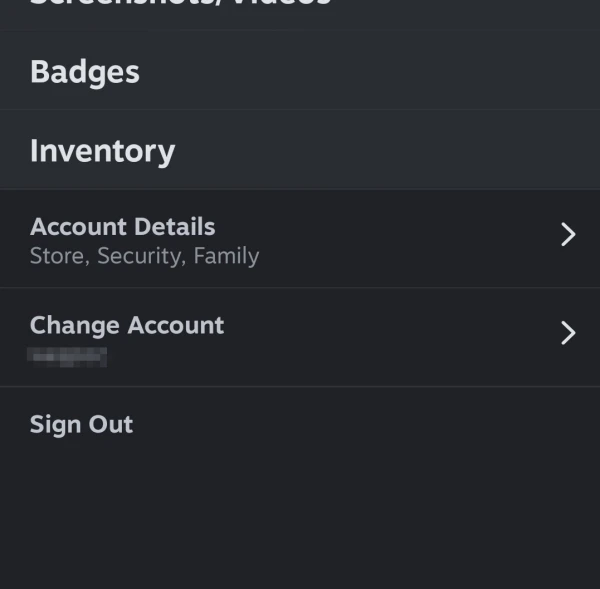
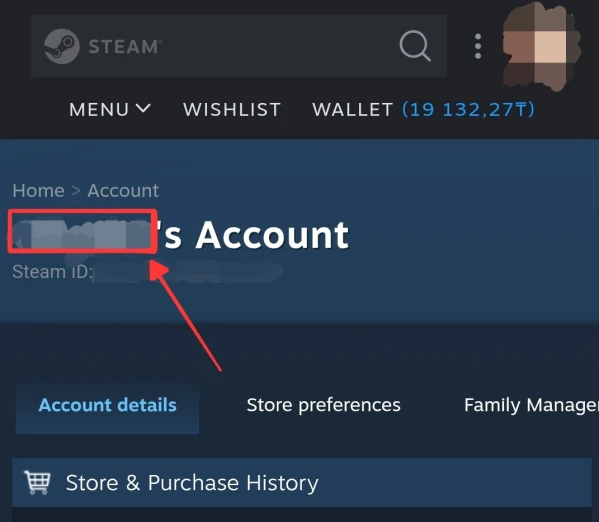
On mobile: Tap your avatar in the top right corner > "Account details" > Copy the login from the line "_____'s Account".
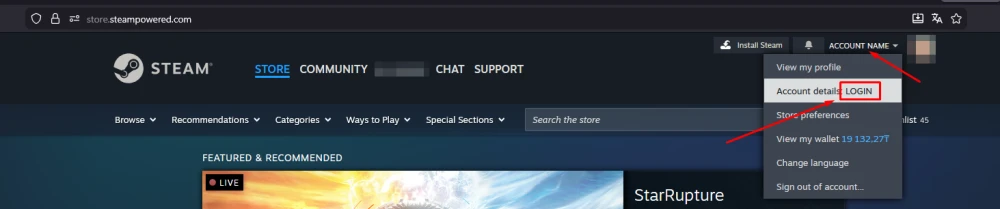
In browser: Click on your name in the top right corner > Copy the login from the line "Account details _____".
 IPweb
IPweb

Rate the material:
Rating: 0
out of 5.
Total ratings: 0.