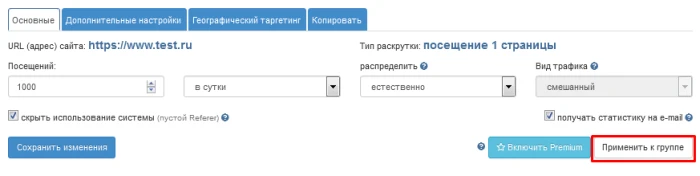
IPweb allows you to change settings for multiple campaigns at once. This feature is useful if, for example, you want to geotarget multiple campaigns simultaneously (or change any other common setting across multiple campaigns). If you want to apply specific settings to multiple campaigns at once, open settings for any of the campaigns whose settings you want to change.

Then set the settings you want in the window that opens. After that, click the "
apply to group" button.
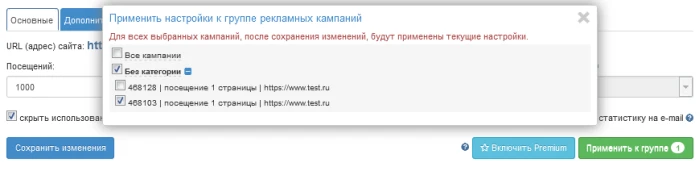
Another pop-up window will appear, displaying all categories and all ad campaigns you have created. Select the ones you want to change. Then click the “
save changes” button. The settings you specified will be applied to all selected ad campaigns.
Please note: bulk settings do not apply to the settings for additional click instructions and their templates. You can change limits, uniqueness, and other settings for a group of ad campaigns, but the instructions and click templates in each campaign will remain individual.