Click 1 to 10 times
There are several advertising campaigns where you can order multiple clicks on any links at once.
You can create advertising campaigns:
- “Make 1–2 clicks” — the contractor will confirm completion with a screenshot.
- «Make 3–5 clicks» — the contractor will confirm completion with 2 screenshots.
- «Make 6–10 clicks» — the contractor will confirm completion with 3 screenshots.
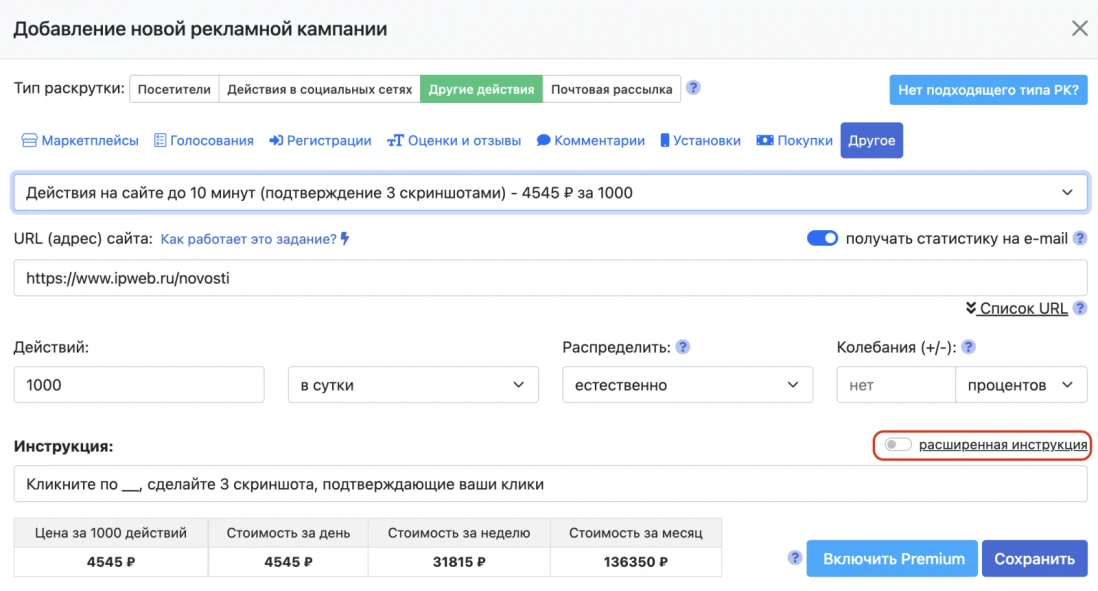
- “Actions on the site for up to 10 minutes” — the contractor will confirm completion with 3 screenshots. You can use this type of advertising campaign if the actions do not include registration, reviews, or other similar actions.
To create an advertising campaign, go to “Promotion” → “Your Websites” → “Other Actions” → “Other” and select one of the options.
Specify the link and the number of clicks per day.
The link may look like this:

After that, edit the instructions. Specify the actions the performer must take and which screenshots they need to send for verification.
In advertising campaigns such as “Get 6–10 clicks” and “Site actions up to 10 minutes,” instructions can be long, which may complicate task completion. If the instructions are long, enable the “Extended instructions” setting.
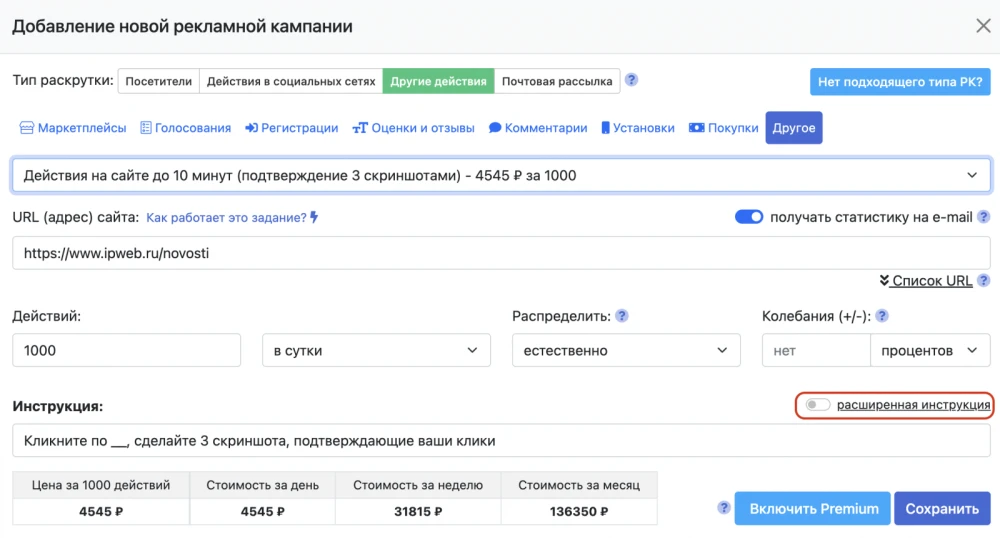
It is important that the instructions for performers are written in a clear and detailed manner. This will make it easier for users to complete the task correctly. It will also be easier for moderators to verify completion, since all tasks in this type of advertising campaign are checked manually by moderators using screenshots. And you will be able to achieve the expected and predictable results.
 IPweb
IPweb
Rate the material: