How to properly advertise on social media
Advertisers who use IPweb to promote their products and services should follow these rules to optimize their expenses and to make social media influence as big as it should be. The first thing you should take care of before before starting social media promotion is setting goals to complete. One of your goals can be: increasing your audience or marketing coverage, getting better statistics, increasing ctr on banner ads, etc. After setting a goal, think about ways to get there! IPweb gives you full-scale services to promote to different segments filtered by sex, age and geography in social media To make things harder for those, who want to use “fast” promotion of their channels or public channels, social media uses A.I and special algorithms To minimize risks of bans, unsubscriptions, getting “doggies” and zeroing of statistics, advertisers should consider the following advices:
- Initial statistics of social media. You don’t want to order a 1000 likes in one day on a video with 50 views or 1000 subscribers for a channel with 20 subs;
- Social activity of users. You shouldn’t order just subs or views or likes without other activities. Users usually behave themselves more complex on the web: they watch video, press like button and subscribe to channels. That’s why we have the option of complex tasks;
- Premium. Enabling a premium account will make only professional users complete your tasks with filled accounts and a bunch of friends.
- “In moment” statistics. If you had 6000 views which led to 1 sub and you order 1 sub and 1 view, Youtube will consider this as fake activity and will get corresponding actions. Distribute this index evenly when you promote your channel. E.g., get 4500 views for 1 sub, 4000 to 1 and further. Average index for 1000 views: 50-100(5-10%) likes and 5-10(0.5-1%) dislikes;.
- Native dynamics. Better to order less for a longer period of time, without getting risks of bans and filtering.
Promoting on YouTube
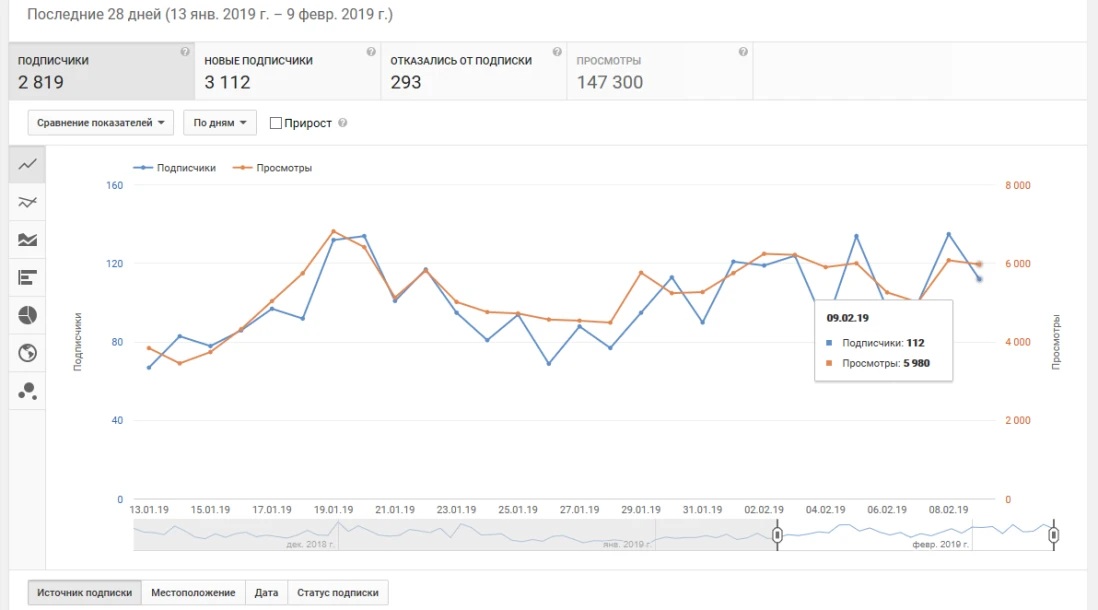
Youtube can “freeze” your statistics for strange activity on your channel. To check if your channel is filtered, try to press like button from any account and refresh the page. If the like counter didn’t change, you should take a break in promoting the channel for a while. To check on your statistics and counters on your YouTube-channel: Go to “My channel” – “Creator studio” – “Analytics”
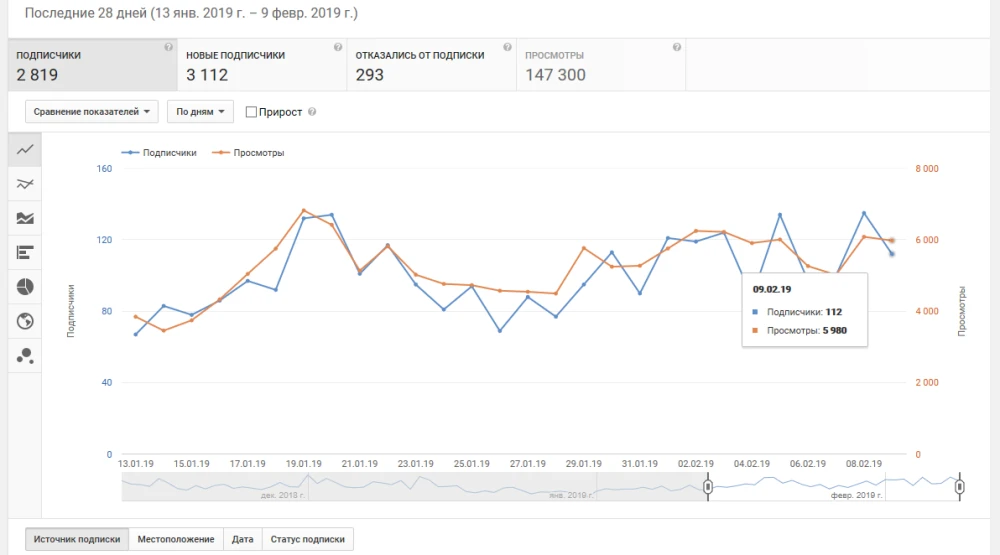
Wrong YouTube channel promotion
Order 1000 subscribers without any social activity or with a lack of likes, views and comments.
The main Youtube metrics
The number of views and subscribers Calculation formula = amount of subscribers / amount of views * 100 %. The average number of views per 1 video. Calculation formula = amount of views/ video amount * 100 %. ER (Engagment Rate). Calculation formula to the coefficient of the video = (number of likes/dislikes + comments + sharing) / number of video views * 100 %. Calculation formula to the coefficient of the channel = (number of likes/dislikes + comments + sharing) / number of all videos views * 100 %. Channel development rate (Channel’s views and subscribers increase per month and year). Average index – 10-15% of all subscribers number per month for a small channel and 1-3% increase for a channel from 1 million subscribers. Discussion Rate Calculation formula to the video coefficient = comments /views * 100 %. Calculation formula to the coefficient of the channel = The sum of comments /The sum of views from all videos * 100 %. Amplification Rate. Calculation formula = shares/views * 100 %. Acceptance Rate Calculation formula = likes/views * 100 %.
Promoting on Facebook
Right(Successful) page/group promoting on Facebook
For the main metric’s analysis of Facebook page, go to “Statistics” - “Overview”.
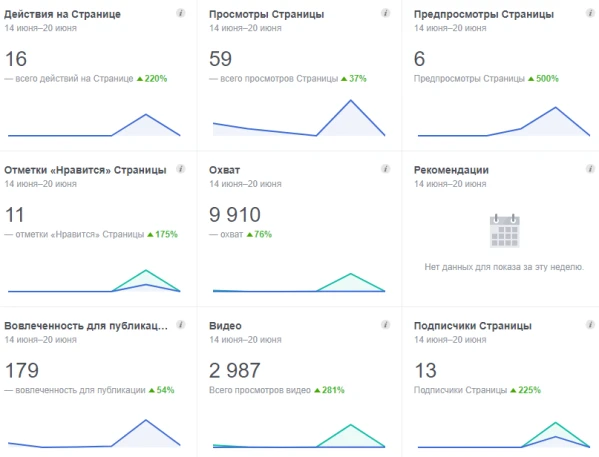
Wrong page/group promoting on Facebook
Order 1000 followers without any social activity or with a lack of likes, views and comments.
Promoting on VK
Right(Successful) page/group promoting on VK
For analysis of the main metrics of VK page, go to “Statistics” - “Views”.
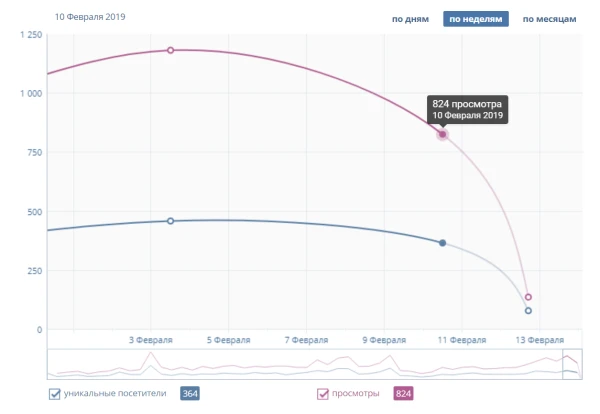
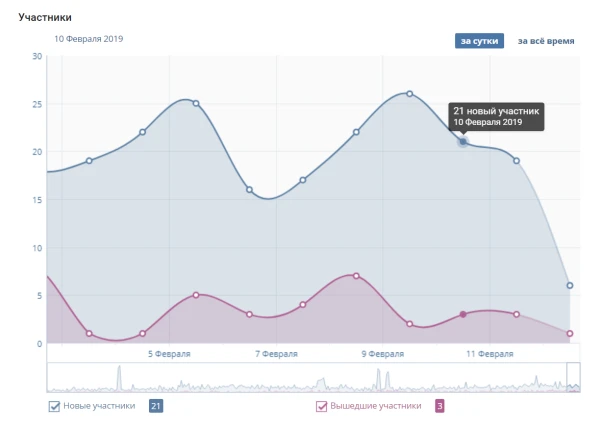
Wrong page/group promoting on VK
Order 1000 followers without any social activity or with a lack of likes, views and comments.
The main social media metrics
Audience Growth Rate. Calculation formula = new followers / all followers* 100 %. Love Rate. Calculation formula = likes / followers * 100 %. Talk Rate. Calculation formula = comments / followers * 100 %. Amplification Rate. Calculation formula = shares / posts * 100 %. Engagement Rate, ER. Calculation formula = sum of all engagement (likes/dislikes + comments + sharing number) / followers number * 100 %.
 IPweb
IPweb
Rate the material: