Odnoklassniki: Buy “Likes” for Posts
As part of this advertising campaign, you can book classes for any post published in the group's feed or on a user's profile. Users will visit the group or their personal profile and like any post of their choice.
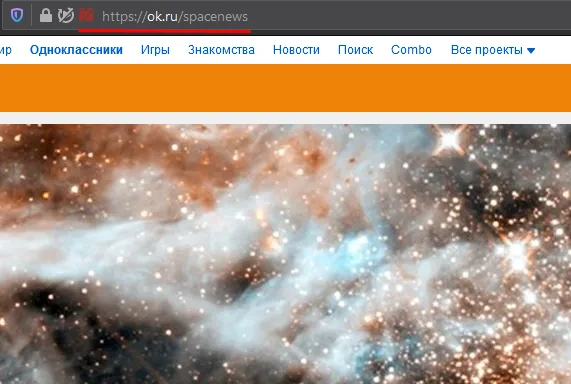
The link might look like this:
“Like Any Post” is a very convenient advertising campaign that allows you to promote a group or personal page evenly without any extra effort on your part. If you want to boost activity in your group, instead of creating an ad campaign for each individual post, use the campaign «Odnoklassniki: Like! for any post» campaign and get “Classes” for your latest posts. This campaign works well in combination with the «Odnoklassniki: Join Group» campaign.
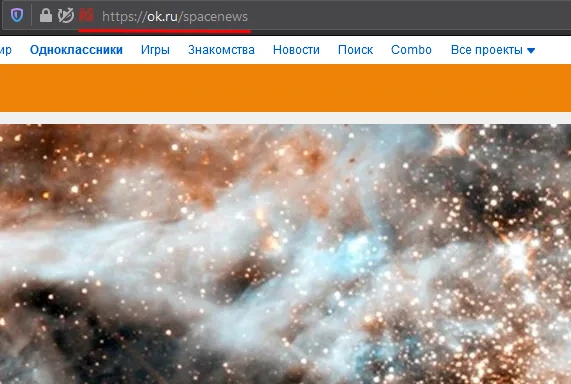
To order “Likes” for any posts in a group's feed or on a user's page on Odnoklassniki, first copy the URL. To do this, open the page and copy the content of the address bar, as shown in the screenshot.
Log in to your IPweb account. In the menu on the left, click “Promotion” — “My Campaigns” — “Add Advertising Campaign” — “Social Media Actions” — «OK» — «Odnoklassniki: class! on any post»
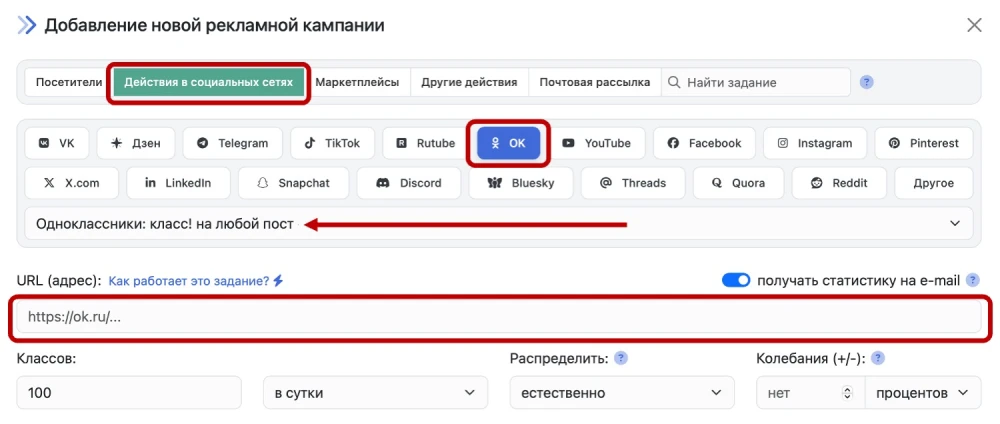
Enter the group's address in the “Link (URL)” field. Don't forget to specify the number of likes you need per day.
Launch an advertising campaign Odnoklassniki: Class! for any post
 IPweb
IPweb
Rate the material: