VKontakte: Install the game/app
Read 1 minute
As part of this advertising campaign, you can request that a game or app be installed on VKontakte.
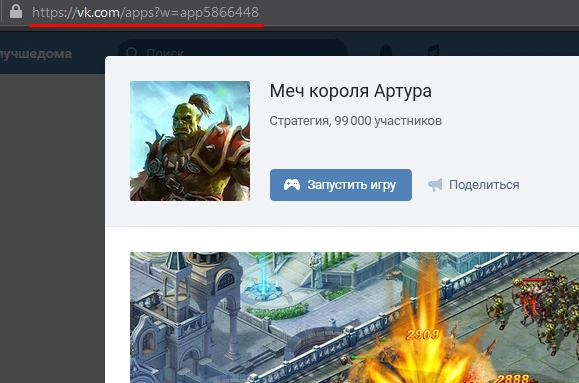
The link will look like this:
To order an advertising campaign, copy the link to the VKontakte game or app.
Log in to your IPweb account. In the left-hand menu, click “Promotion” — “My Campaigns” — “Add Advertising Campaign” — “Social Media Actions” — «VK» — «VK.com: install game/app».
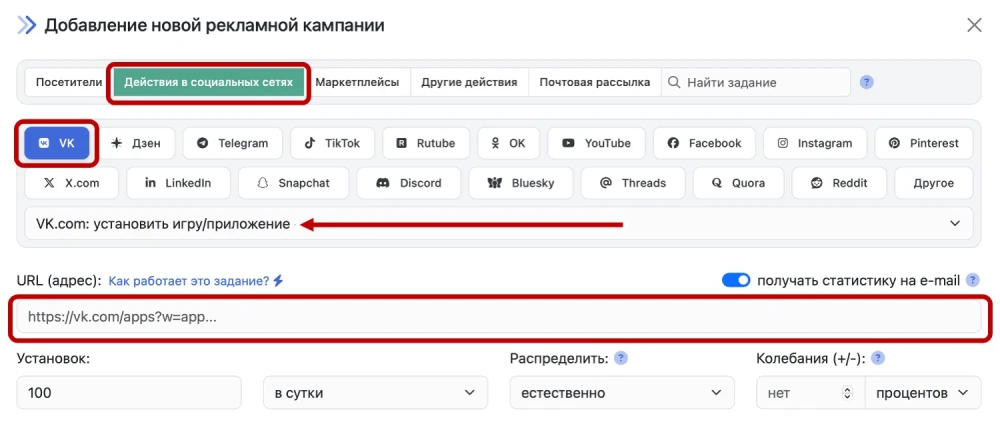
Enter the link to the VKontakte game or app and the number of daily installs.
 IPweb
IPweb
Rate the material:
Rating: 0
out of 5.
Total ratings: 0.