VKontakte: Buy Likes
As part of this advertising campaign, you can order likes for posts or wall updates, photos, videos, and comments.
The link to the post will look like this (where “ipweb_ru” is replaced by the name of the group or the ID of the page where the post is published):
As part of this advertising campaign, you cannot order likes for:
- personal pages (links like https://vk.com/id328065598)
- groups and public pages (links like https://vk.com/ipweb_pro)
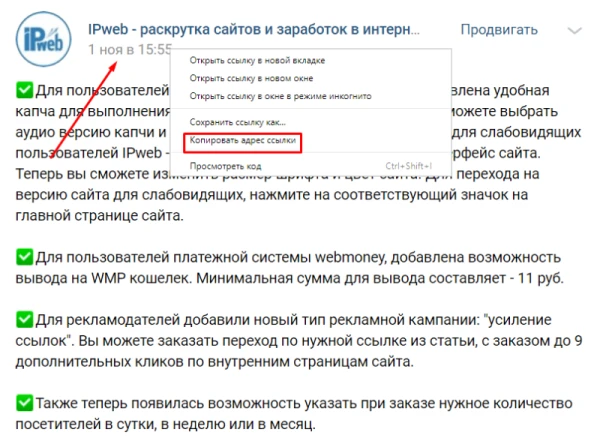
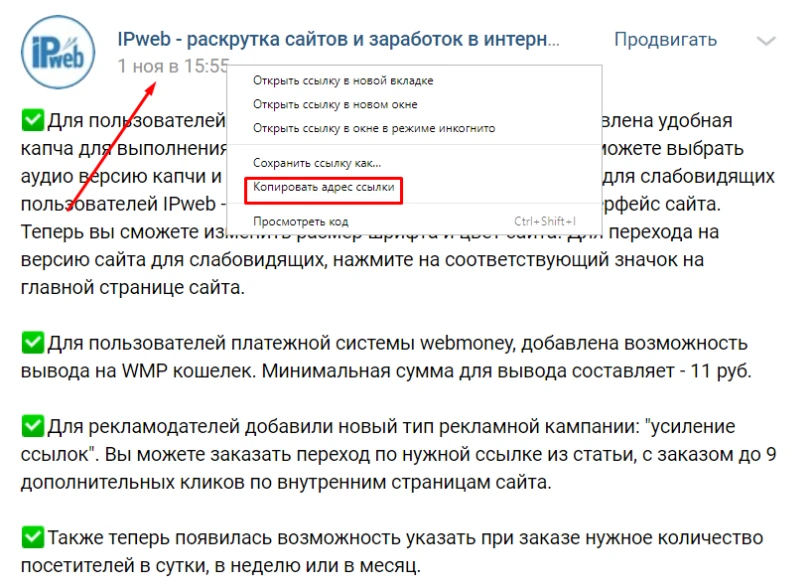
To order likes for a group or personal page, use the campaign «Like any post on the wall». To order an increase in the number of likes for a specific post, first you’ll need a link to that post. To get it, open the VKontakte post you want to promote. Click on the post itself or on its publication date, as shown in the screenshot.
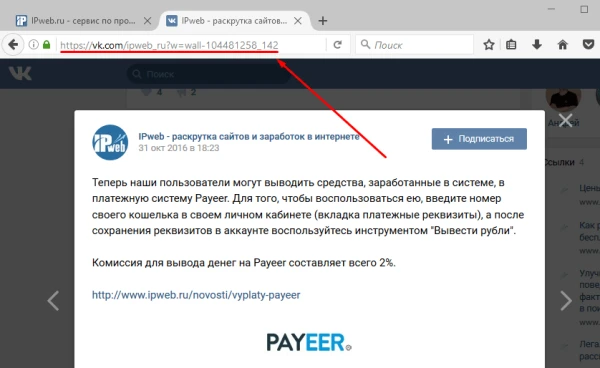
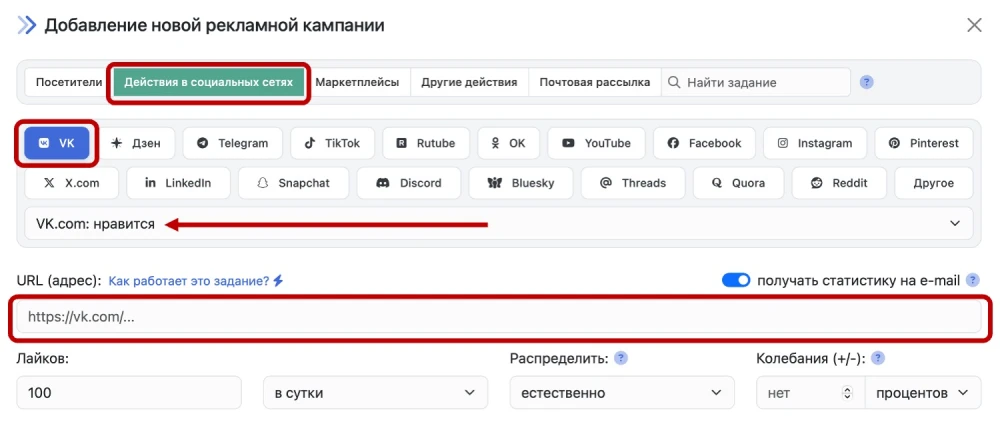
Log in to your IPweb account. In the menu on the left, click “Promotion” — “My Campaigns” — “Add Advertising Campaign” — “Social Media Actions” — “VK” — «VK.com: Like». In the «Website URL» field, paste the link to the post you received.
We also have an article that describes in detail the benefits of getting VKontakte likes through our service.
⚠️ VKontakte may “freeze” some of your followers if they do not match the statistical “pattern” or typical user behavior. Followers who show no activity (do not like posts, do not repost, do not write comments) fall into the risk zone. As a result, we recommend that you order and use comprehensive packages for the most “natural” promotion.
 IPweb
IPweb
Rate the material: