VKontakte: Boosting votes in a poll
This advertising campaign allows you to attract an active audience to any VKontakte poll or survey, as well as increase the number of votes for the desired option.
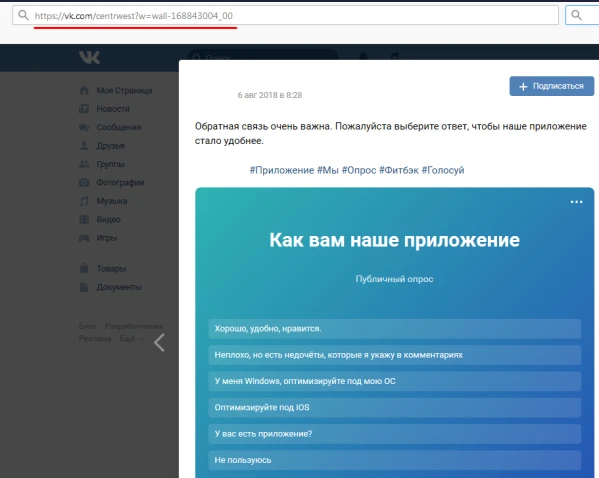
The link to the VKontakte poll or survey looks like this:
https://vk.com/centrwest?w=wall-168840000_40
To increase the number of participants in the poll or survey, copy the link to your post as shown in the image.
Log in to your IPweb account. In the left-hand menu, click “Promotion” → “My Campaigns” → “Add Advertising Campaign” → “Social Media Actions” → «VK» → «VK.com: vote».
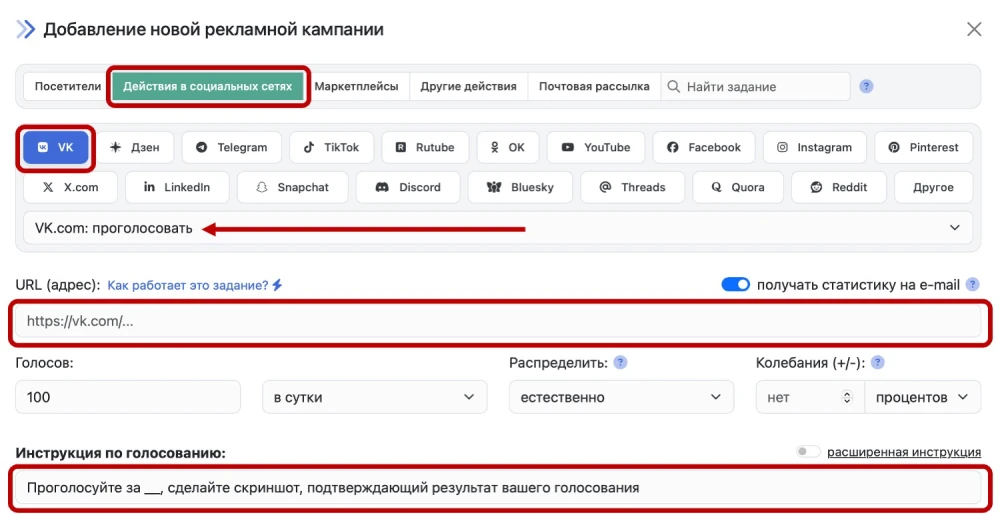
After that, paste the link to the post into the appropriate field and edit the description, adding instructions on how to vote. If you want people to be active in voting, specify “vote for any option” in the instructions.
 IPweb
IPweb
Rate the material: