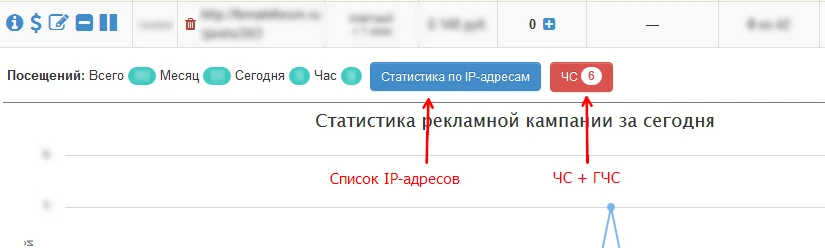
To manage the blacklist (BL) and/or global blacklist (GBL), open the ad campaign statistics and view the list of IP addresses. The Blacklist (BL) prevents the specified IP addresses from viewing sites within the current campaign, while the Global Blacklist (GBL) applies to all campaigns in your account.
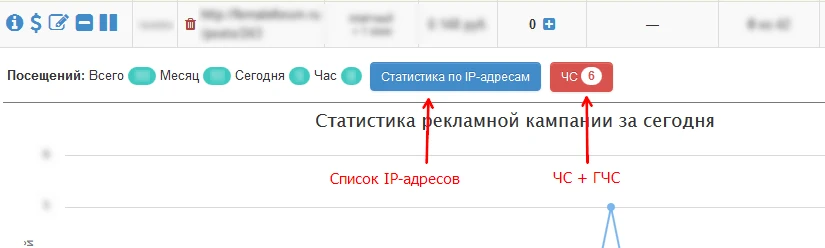
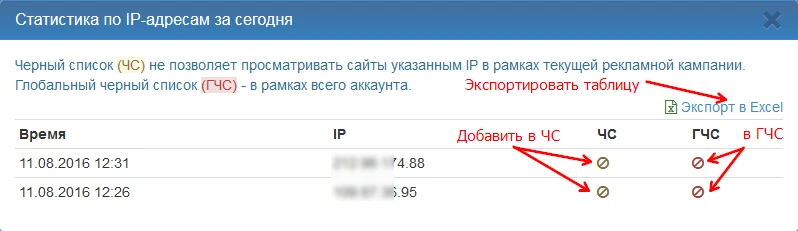
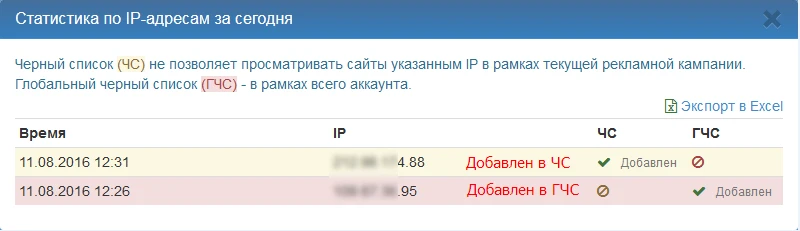
To add an IP address to the BL or GLBL, click the corresponding button next to the IP address you want to block. Please note that you can manage the Global Blacklist from the statistics of any advertising campaign. Try not to add IP addresses to the Global Blacklist unless absolutely necessary. It is also recommended to remove an IP address from the Blacklist of the current advertising campaign if you decide to add it to the Global Blacklist. Please note that active use of the Blacklist and Global Blacklist significantly distorts forecasts of the number of potential impressions.
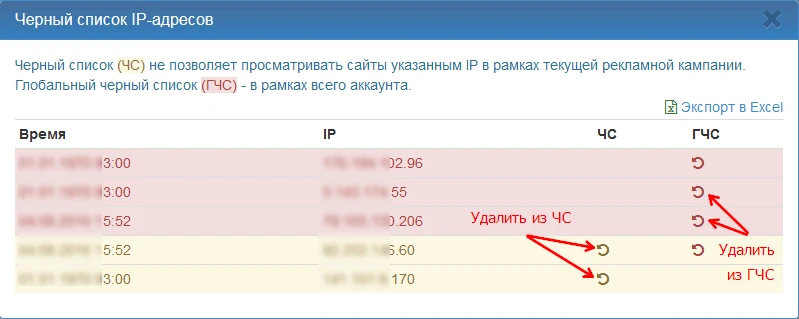
Window with IP addresses from ad campaign statistics: Window showing IP addresses from the blacklist and global blacklist: