Facebook: interested/going to the event
The advertising campaign "Facebook: interested/going to the event" allows you to attract an audience to an event on Facebook and increase the number of interested and/or visitors.
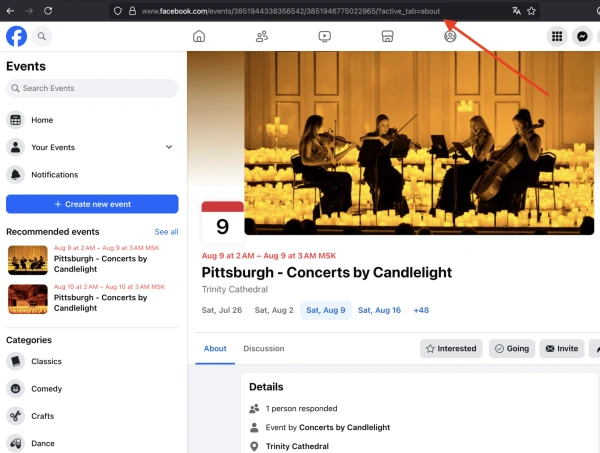
The link to the event page on Facebook looks like this:
https://www.facebook.com/events/513301129071000/
To order an advertising campaign, copy the link to the event from the browser.
Log in to your IPweb account. In the menu on the left, click "Promotion" - "My campaigns" - "Add an advertising campaign" - "Actions on social networks" - "Facebook" - "Facebook: interested/going to the event".

Введите ссылку на страницу с мероприятием и количество интересующихся и/или посетителей в сутки.
How to set up the geography of the issuance and other parameters of the advertising campaign tell here.
 IPweb
IPweb

Rate the material: