Marketplace: subscriber boosting for seller
Marketplaces: Subscribe to a User
This advertising campaign will help you boost your store’s rating on the marketplace and increase the number of potential customers. Marketplace algorithms will recognize your store as popular among buyers and promote it more frequently.
To create an advertising campaign, copy the link to your store from the marketplace card in your browser’s address bar.
A link may look like this:
Or like this:
Or like this:
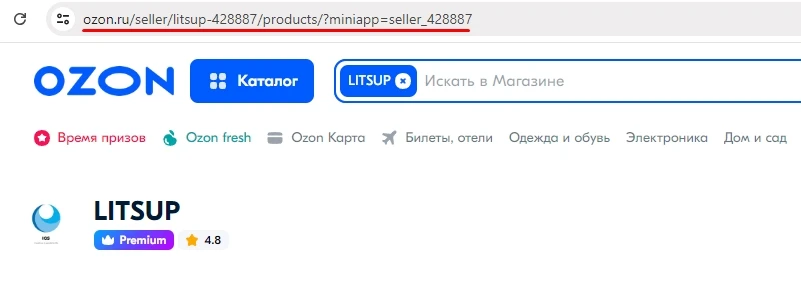
We recommend removing UTM parameters when adding your marketplace store link. This will make the link shorter. Additionally, it’s difficult to predict how UTM parameters will affect the statistics algorithms of each specific marketplace.
Once you have the link, log in to your IPweb account. In the left menu, click on «Promotion» → «Your Sites» → «Add Advertising Campaign». Select the promotion type «Marketplaces, ratings and other actions» → «Marketplaces» → «Marketplace: Subscribe to a User».

Enter the link to your store page, the number of subscribers for the required period, and click the «Save» button. Set the desired geography in the «Geotargeting» tab; your choice depends on the marketplace you’re using and its audience. You can learn how to set other advertising campaign parameters here.
When your advertising campaign setup is complete, don’t forget to top up its balance, so it starts running immediately after moderation.
 IPweb
IPweb
Rate the material: