Facebook: boosting likes and emotions
The "Facebook: like" ad campaign will allow you to increase the number of likes under your post, photo, video or comment on Facebook.
If you want our performers to not just like your post, but also leave an emotion, then create the "Facebook: put emotion" ad campaign.

As the Facebook page interface changes, the number of emotions may increase and the emotions themselves may change.
To create these ad campaigns, you need a link to a post, photo, video or comment on Facebook.
Links may look like this:
https://www.facebook.com/nike/posts/10155545152423445
https://www.facebook.com/groups/ipweb.ru/permalink/1897956590521385/
https://www.facebook.com/jumpman23/videos/1293346720717890
https://www.facebook.com/nike/posts/10154216095368445?comment_id=10159449083288445
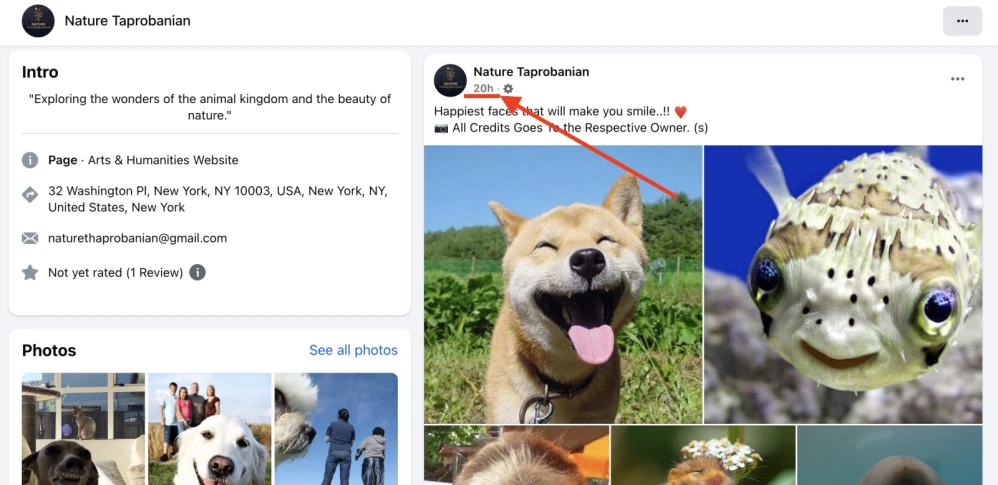
To get a link to the post, click on the post publication date, as shown in the screenshot.
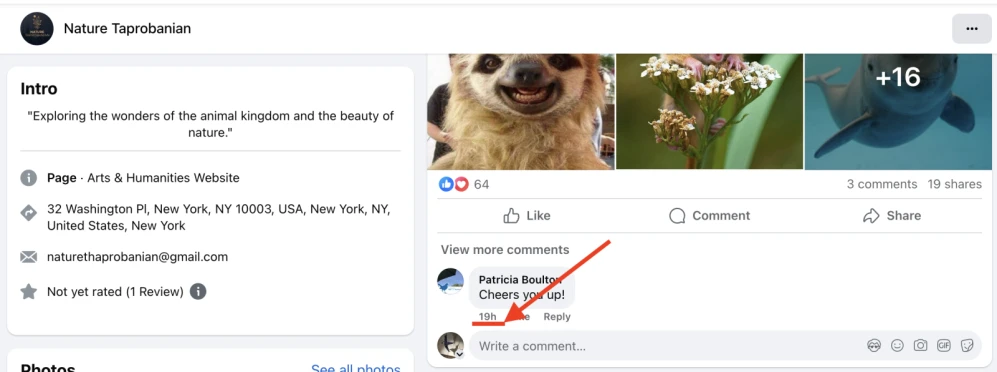
Or, to get a link to the comment.
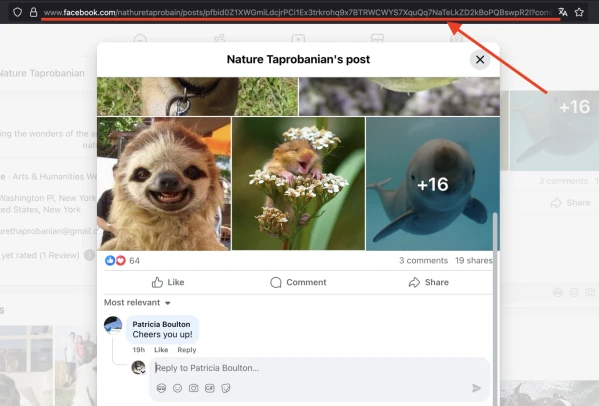
Then copy the contents of the address bar.
Adding an advertising campaign "Facebook: like"
Log in to your IPweb account. In the menu on the left, click "Promotion" - "My campaigns" - "Add an advertising campaign" - "Actions on social networks" - "Facebook" - "Facebook: like".
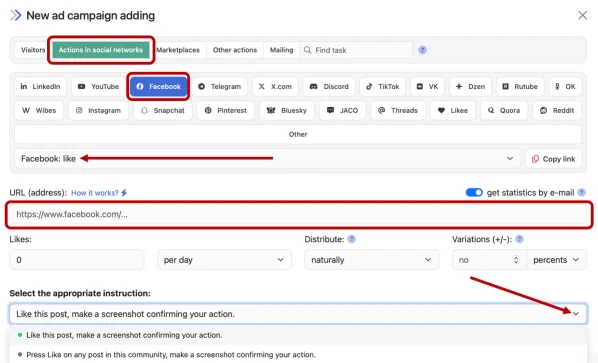
Enter the link to the post, the number of likes per day and click the "Save" button.
Adding an advertising campaign "Facebook: put emotion"
Log in to your IPweb account. In the menu on the left, click "Promotion" - "My campaigns" - "Add an advertising campaign" - "Actions on social networks" - "Facebook" - "Facebook: put emotion".
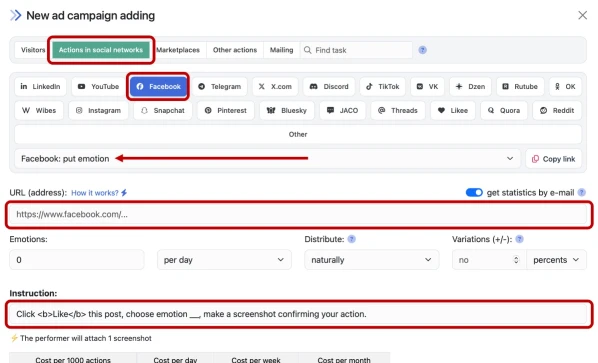
Enter the link to the post and specify the required number of emotions per day. Select an emotion and edit the instructions for completing the task (Love / Care / Haha / Wow / Sad / Angry):
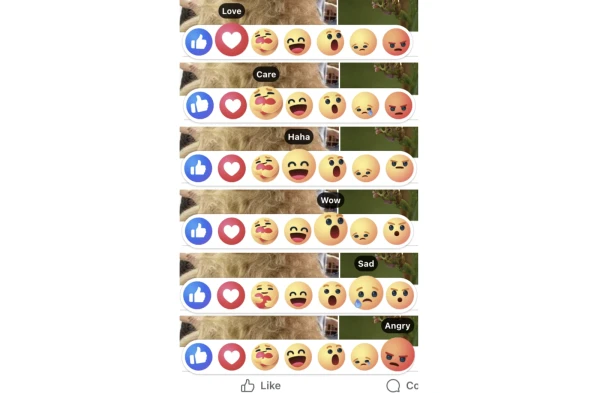
If the advertiser does not select an emoji, the task instructions will be set to "select any emotion". Click the "Save" button.
How to set up the geography of the issuance and other parameters of the advertising campaign tell here.
 IPweb
IPweb

Rate the material: