Facebook: votes in polls manipulated
The advertising campaign "Facebook: vote" allows you to attract a live audience to any Facebook poll or survey, as well as increase the number of people who voted for the desired item.
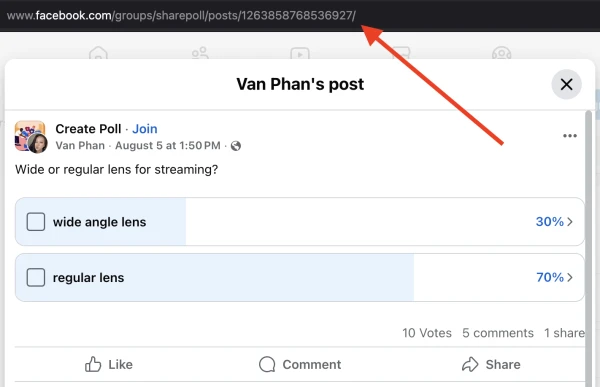
The link to the vote or survey on Facebook looks like this:
https://www.facebook.com/alex/posts/1220781080690000
To order an advertising campaign, copy the link to the vote or survey from the browser.
Log in to your IPweb account. In the menu on the left, click "Promotion" - "My campaigns" - "Add an advertising campaign" - "Actions on social networks" - "Facebook" - "Facebook: vote".

Enter the link to the vote or survey and the number of executions per day. If necessary, change the instructions by adding a contender for victory. If you need activity in the vote, specify "vote for any item" in the instructions.
How to set up the geography of the issuance and other parameters of the advertising campaign tell here.
 IPweb
IPweb

Rate the material: