JACO: watch video
JACO is a social video streaming platform that brings people together in one place to share their moments and interact with a variety of content: from entertainment and gaming to sports, music, business and education.
If you want to increase the number of views of JACO videos, the “JACO: watch video” campaign is for you.
To create an advertising campaign, copy the link to your JACO profile or a specific video. We talk about the benefits of profile promotion here.
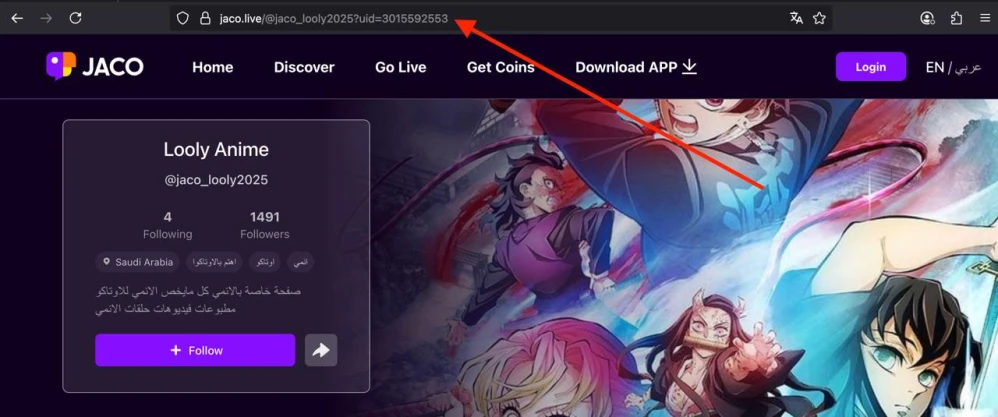
The link to the account can look like this:
https://jaco.live/@jaco_looly2025?uid=3015592553
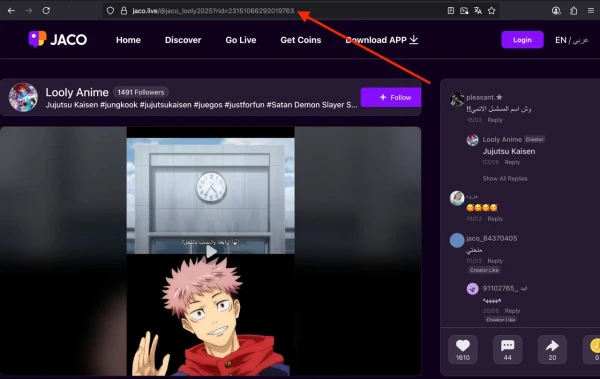
The link to the video can look like this:
https://jaco.live/@jaco_looly2025?rid=23151066292019763
Log in to your IPweb account. In the menu on the left, click "Promotion" - "My campaigns" - "Add an advertising campaign" - "Actions on social networks" - "JACO" - "JACO: watch video".

Enter the link, the number of subscribers in the desired period. Select the appropriate instruction from the drop-down list: if you inserted a link to a video, then you need the instruction "Watch a video ..."; if you inserted a link to a profile, then the instruction "Watch any video ..." will suit you. Then click the "Save" button.
We tell you how to set up other parameters of the advertising campaign here.
When ordering the service, evaluate what kind of user influx will look natural. Do not order more subscribers per day than the account currently has. If 200 people per day start to be added to a page with 10-15 followers, this will raise suspicions and may lead to sanctions from the JACO platform administration.
 IPweb
IPweb

Rate the material: