LinkedIn: boosting comments on a post
This advertising campaign allows you to order comments on the desired LinkedIn posts or on any publications of the account. Comments from our performers of at least 10 characters in length are counted. Only experienced users will perform this task.
To create this advertising campaign, you need a link to one post or to all publications of the LinkedIn account.
The link to the post may look like this:
https://www.linkedin.com/posts/nikita-ivanov-782371ba_now-in-ipweb-you-can-order-the-following-activity-7119312235356696576-KxkG
or like this:
https://www.linkedin.com/feed/update/urn:li:activity:7119312235356696576/
The link to all posts by the account may look like this:
https://www.linkedin.com/in/nikita-ivanov-782371ba/recent-activity/all/
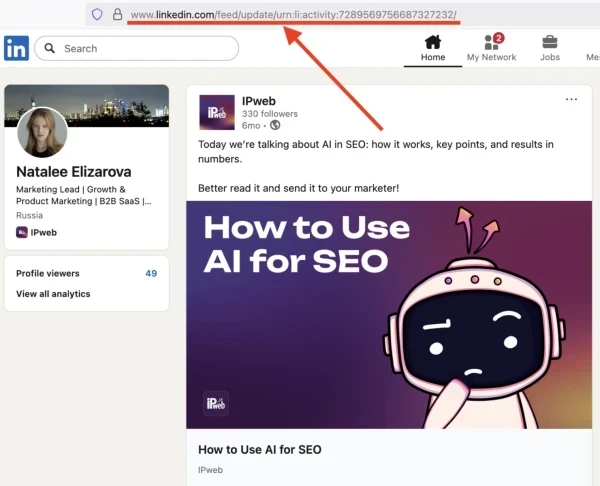
To get a link to a post, on the author's page, scroll down to the "Actions" section and click on the post that needs likes. On the page that opens, copy the link from the browser's address bar.
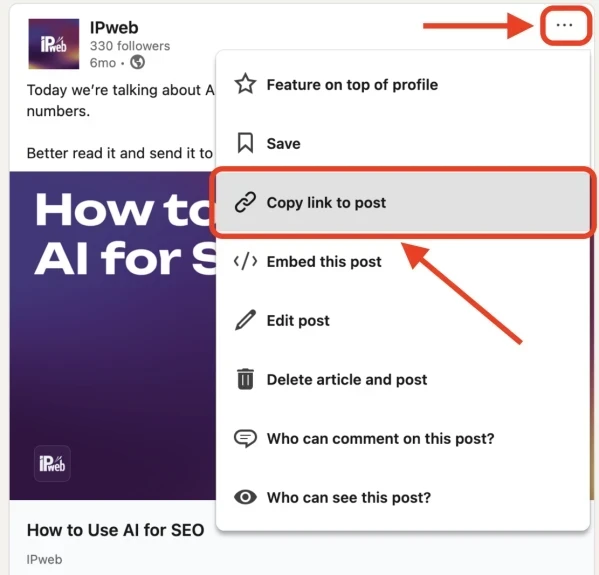
You can also get a link in the feed. Click on the three dots on the right side of the desired post, and then click on “Copy link to post”
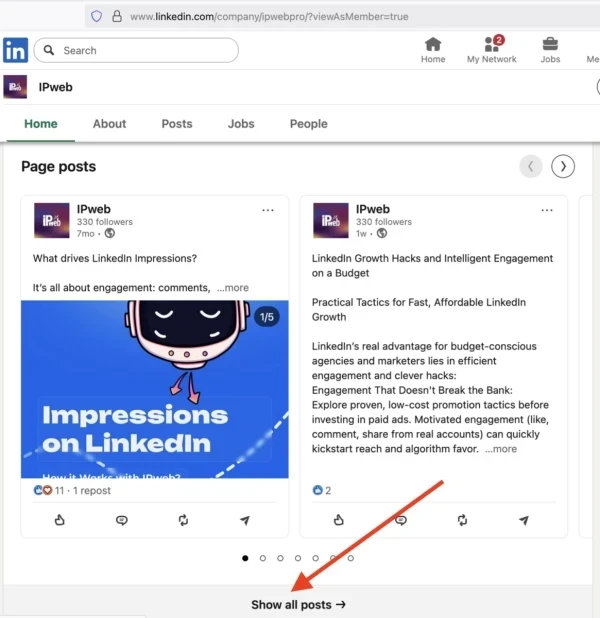
To get a link to all the account posts, in the “Actions” section, click the “Show all posts” button and copy the link on the page that opens.
Log in to your IPweb account. In the menu on the left, click "Promotion" - "My campaigns" - "Add an advertising campaign" - "Actions on social networks" - "LinkedIn" - "LinkedIn: comment on the publication".
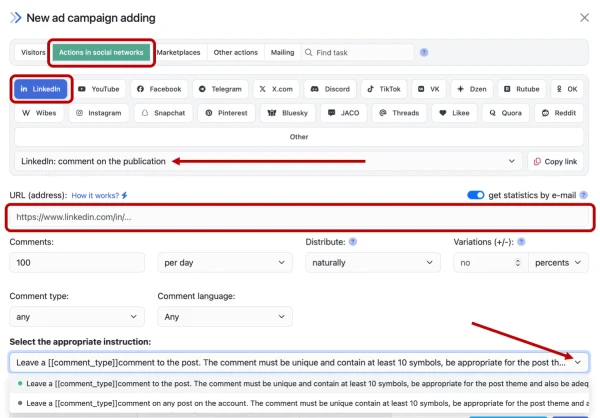
Enter the link to the post (or to all publications) and the number of comments in the desired period.
Here you can also specify the type of comment (positive or negative) and select a language from 4 system languages (Russian, English, Spanish, Portuguese). If these settings are left by default, the performer can comment in any language and with any emotion.
Please note that the choice of comment language is not geo-dependent. The task can be received by a performer from any region. If localization of the task execution is required, these conditions must be specified in the advertising campaign settings on the "Geographical targeting" tab.
Click the "Save" button.
How to set up the geography of the issuance and other parameters of the advertising campaign tell here.
 IPweb
IPweb

Rate the material: