LinkedIn: connect
Invitations to connect are a way to build your network of contacts on LinkedIn. Each new connection increases your chances of connecting with thousands of professionals on the LinkedIn network. Ipweb gives advertisers this opportunity in the type of promotion "LinkedIn: connect".
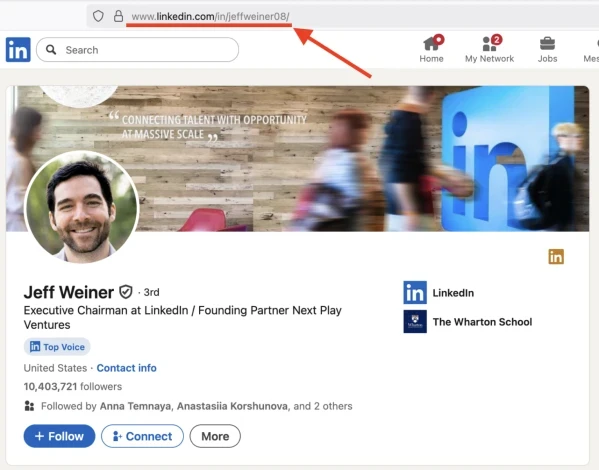
You can only connect with members of the social network on LinkedIn. The link must lead to a personal profile.
It can look like this:
https://www.linkedin.com/in/jeffweiner08/
To create an advertising campaign, copy the link to your LinkedIn page from the address bar of the browser.
Log in to your IPweb account. In the menu on the left, click "Promotion" - "My campaigns" - "Add an advertising campaign" - "Actions on social networks" - "LinkedIn" - "LinkedIn: connect".

Enter the page link, the number of contact requests in the desired period and click the "Save" button.
⚠️ Please note that LinkedIn has a contact limit. Any member can have no more than 30,000 contacts.
How to set up the geography of the issuance and other parameters of the advertising campaign tell here.
 IPweb
IPweb

Rate the material: