LinkedIn: boosting likes
The "LinkedIn: like" ad campaign will help you increase the number of reactions to your LinkedIn posts.
To create this ad campaign, you need a link to a specific post or to all posts on the LinkedIn account if you want to like any post.
The link to the post may look like this:
https://www.linkedin.com/posts/nikita-ivanov-782371ba_now-in-ipweb-you-can-order-the-following-activity-7119312235356696576-KxkG
or like this:
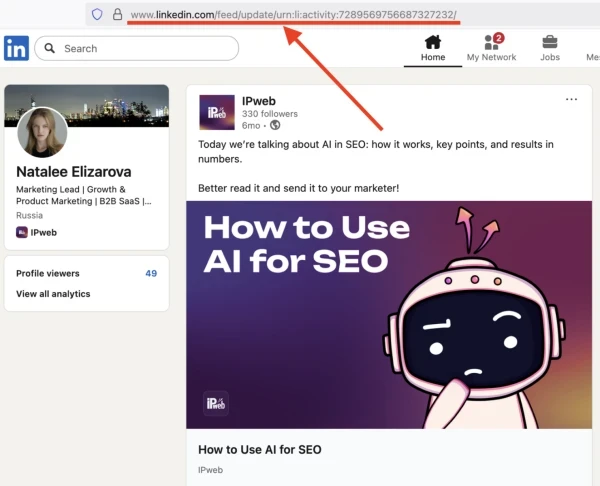
https://www.linkedin.com/feed/update/urn:li:activity:7119312235356696576/
The link to all posts by the account may look like this:
https://www.linkedin.com/in/nikita-ivanov-782371ba/recent-activity/all/
To get a link to a post, on the author's page, scroll down to the "Actions" section and click on the post that needs likes. On the page that opens, copy the link from the browser's address bar.
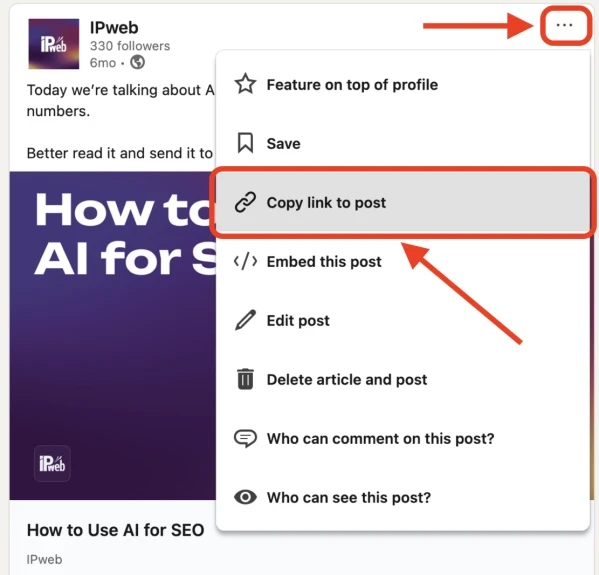
You can also get a link in the feed. Click on the three dots on the right side of the desired post, and then click on “Copy link to post”
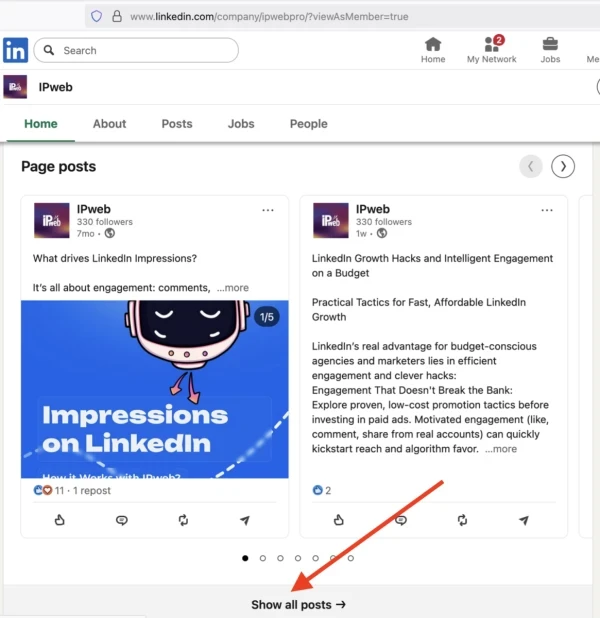
To get a link to all the account posts, in the “Actions” section, click the “Show all posts” button and copy the link on the page that opens.
Log in to your IPweb account. In the menu on the left, click "Promotion" - "My campaigns" - "Add an advertising campaign" - "Actions on social networks" - "LinkedIn" - "LinkedIn: like".
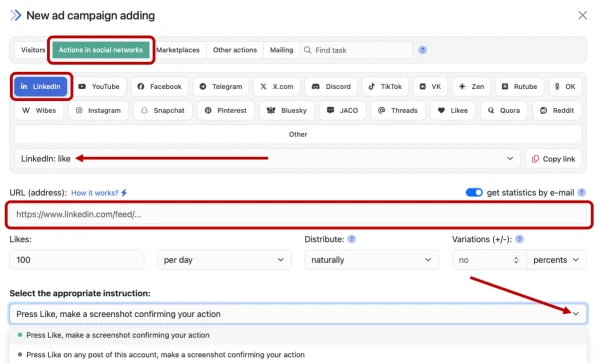
Enter the link to the post and the number of likes in the desired period. By default, the task asks the user to like or any emotion. If you need a specific one, change it in the "Instruction" field. Click the "Save" button.
How to set up the geography of the issuance and other parameters of the advertising campaign tell here.
 IPweb
IPweb

Rate the material: