MAX: Inflating bot launch counts (copy)
If you need to increase traffic to the MAX bot, this type of campaign is right for you. It involves just one action: launching the bot.
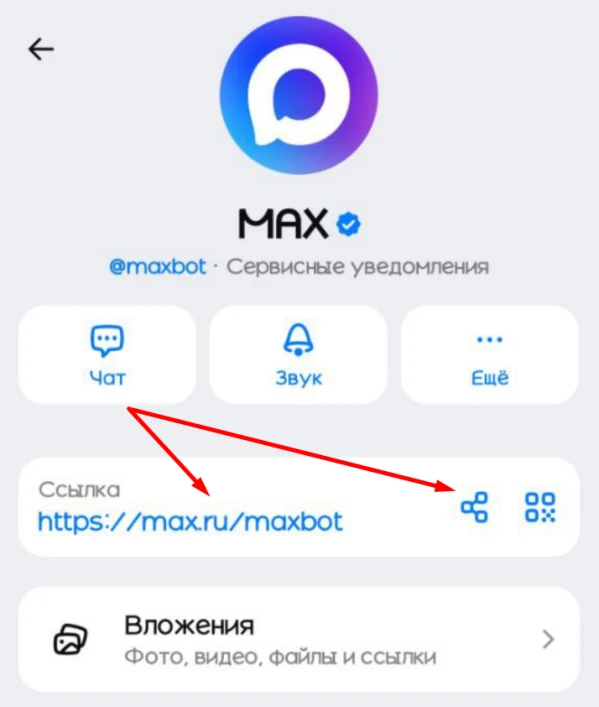
To create an ad campaign, you’ll need to get a link to the bot. Click on the bot’s name, then on the link → “Invite via Link” → “Share Link” or “Copy,” or to the right of the link → “Share Link” → “Copy.”
The link to the bot might look like this:
https://max.ru/maxbot
Log in to your IPweb account. In the left-hand menu, click “Promotion” → “My Campaigns” → “Add Advertising Campaign” → “Social Media Actions” → “MAX” → “MAX: Launch Bot.”

Enter the link to the bot and the number of launches for the desired period. Click the “Save” button. The campaign will immediately be sent for moderation and will launch after it passes review.
We explain how to configure other ad campaign settings here.
 IPweb
IPweb

Rate the material: