MAX: Boosting Post Views
Read 1 minute
As part of this advertising campaign, you can increase the number of views (reads) on posts in a MAX channel or chat.
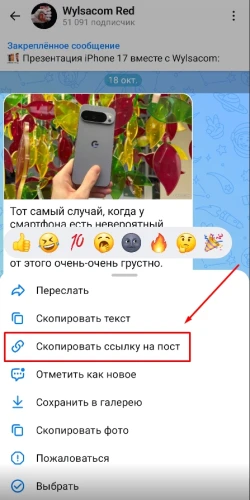
To create an advertising campaign to promote post views, tap on a post in the MAX app and copy the link using the “Copy Post Link” button.
The post link might look like this:
https://max.ru/WylsacomRed/AZn2asJ1Oik
Log in to your IPweb account. In the left-hand menu, click “Promotion” → “My Campaigns” → “Add Advertising Campaign” → “Social Media Actions” → “MAX” → “MAX: Read Post.”

Enter the link to the post, the number of reads for the desired period, and click the “Save” button.
We explain how to configure other ad campaign settings here.
 IPweb
IPweb

Rate the material:
Rating: 0
out of 5.
Total ratings: 0.