TikTok: watch video
If you want your TikTok account videos to get more views, create a campaign called “TikTok: watch video”. Our performers will watch a specific video or any video in the account for at least 15 seconds.
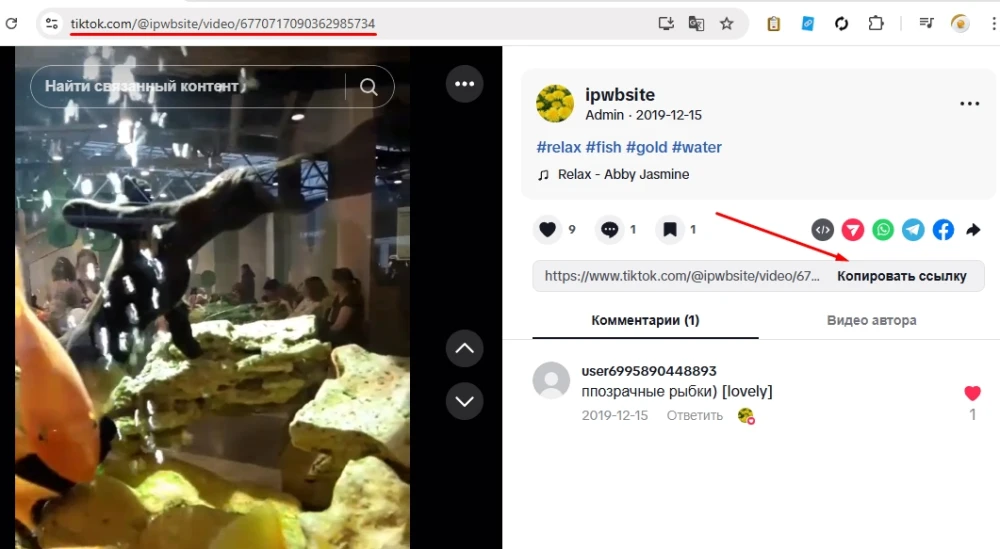
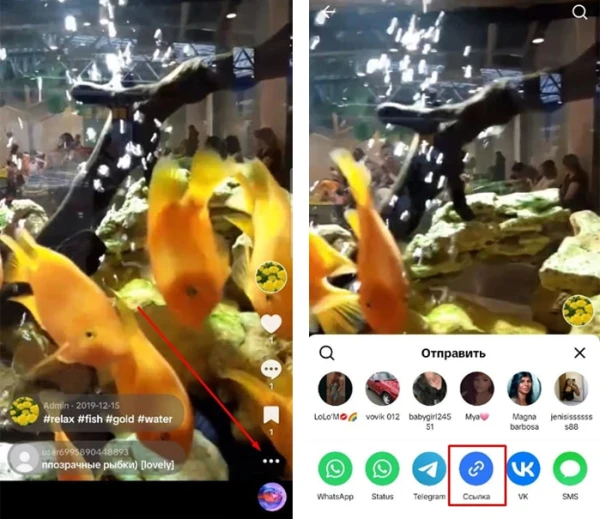
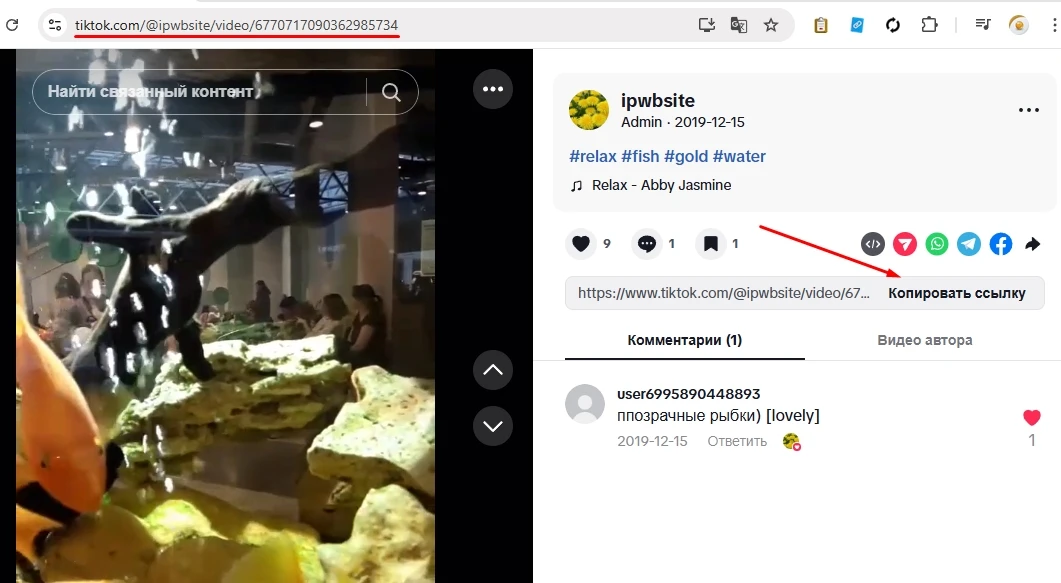
To create a campaign, you need to get a link to the video or account if you want to watch any video. To do this, copy the link to the video or account in the address bar of the browser or in the description of the video using the “Copy link” button. In the TikTok app, in the open video, click on the three dots “...” , then “Link”.
The link to the video may look like this:
https://www.tiktok.com/@ipwbsite/video/6770717090362985734
https://www.tiktok.com/@ipwbsite/video/6770717090362985734?is_from_webapp=1&sender_device=pc&web_id=7475986128102688311
to the account like this:
https://www.tiktok.com/@ipwbsite?_t=ZS-8x8NPtaMDUV&_r=1
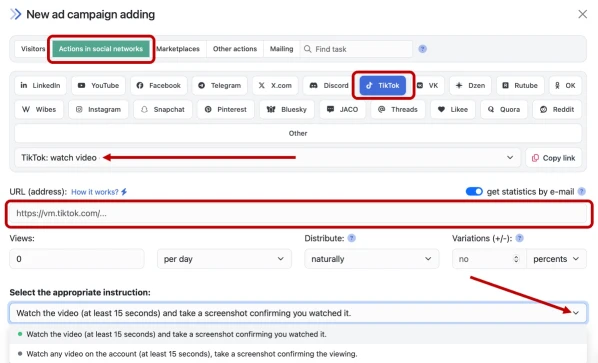
Enter the link to the video or account, the number of views in the desired period, select the appropriate instruction from the drop-down list and click the "Save" button. The campaign will immediately be sent for moderation and will be launched after passing the check.
How to set up the geography of the issuance and other parameters of the advertising campaign tell here.
When ordering views, evaluate what kind of influx of engagement will look natural. Do not order more views per day than the video currently has. An atypical surge in activity for an account/video may arouse suspicion on the part of the social network administration and lead to sanctions.
 IPweb
IPweb
Rate the material: