X.com: Comment Inflation
This advertising campaign helps increase the number of comments on your posts on X.com. Comments from our users that are at least 10 characters long will be counted. Only experienced users will be eligible to complete this task.
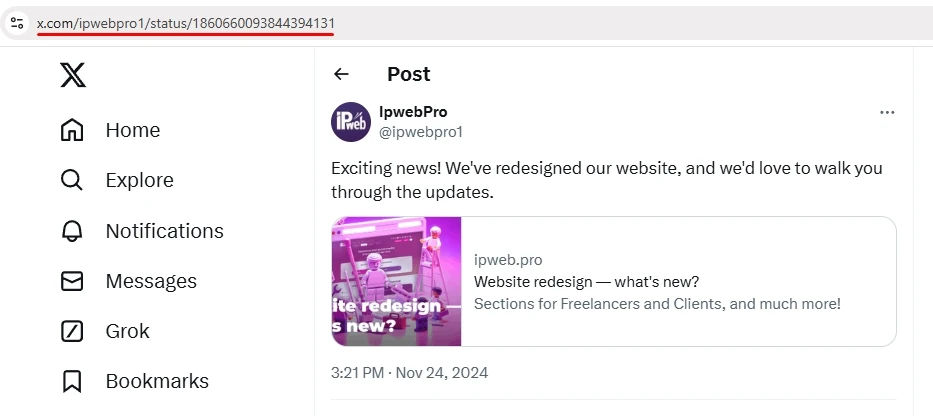
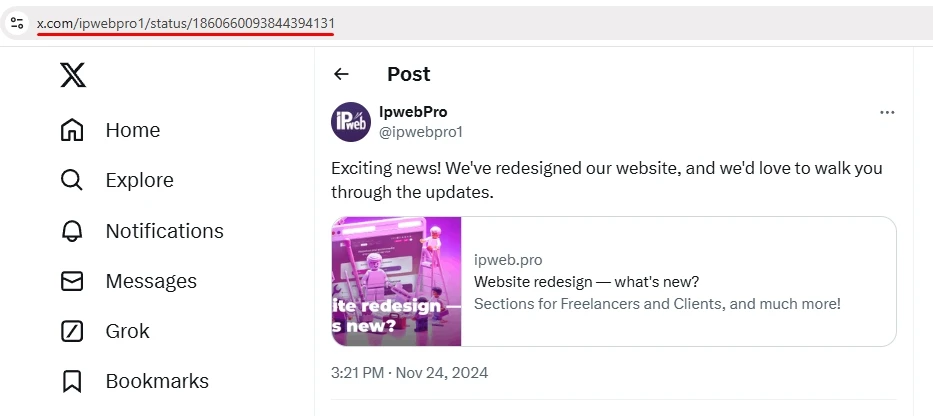
A link to a post might look like this:
If you need a comment on any post, you must include a link to the X profile:
To create an advertising campaign, copy the link to your post from your browser.
Log in to your IPweb account. In the menu on the left, click “Promotion” — “My Campaigns” — “Add Advertising Campaign” — “Social Media Actions” — “X.com” — “X.com: Comment on a Tweet.”

Enter the link to the post or profile, the number of actions for the desired period, and select the appropriate instruction from the drop-down list. Here, you can also specify the type of comment (positive or negative) and select a language from the four system languages (Russian, English, Spanish, Portuguese). If these settings remain at their defaults, the contractor can comment in any language and with any sentiment.
Please note that the choice of comment language is not geo-dependent. The task can be assigned to a contractor from any region. If you require the task to be localized, these conditions must be specified in the ad campaign settings on the “Geographic Targeting” tab.
Click the “Save” button. The campaign will immediately be sent for moderation and will launch once it passes review.
We explain how to configure other advertising campaign settings here.
 IPweb
IPweb
Rate the material: