YouTube: boosting comments on videos
As part of the advertising campaign "YouTube: video comment" you can order comments on the desired video on YouTube, comments on a new video on a YouTube channel, as well as comments in a YouTube stream. Comments from our users of at least 10 characters are counted. Only experienced users will complete the task.
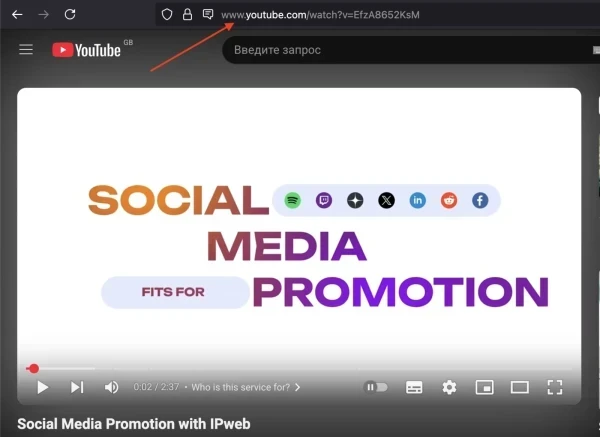
The link to the video may look like this:
https://www.youtube.com/watch?v=h4eFPsxoXgI
The link to the YouTube channel is like this:
https://www.youtube.com/channel/UC4LqYM_1_GIgsCvv_eE1Jfw
To add an advertising campaign, copy the link to your video or YouTube channel.
Log in to your IPweb account. In the menu on the left, click "Promotion" - "My campaigns" - "Add an advertising campaign" - "Actions on social networks" - "YouTube" - "YouTube: video comment".
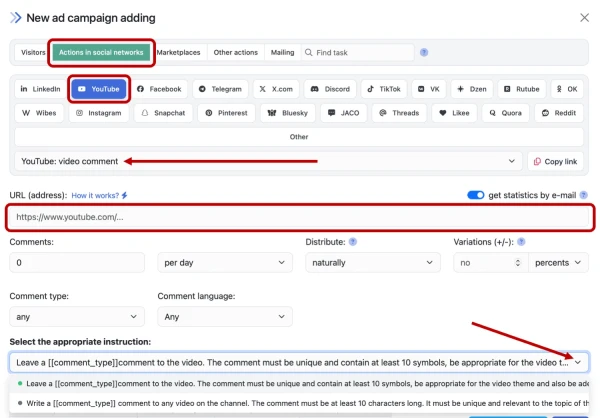
Enter the link to the video on YouTube and the number of comments per day. Select the appropriate instruction and click the "Save" button.
How to set up the geography of the issuance and other parameters of the advertising campaign tell here.
 IPweb
IPweb

Rate the material: